Hello everyone,
I recently received my Argon ONE UP from Argon Forty and wanted to share both my very positive user experience and a step-by-step guide describing how I configured the system, in case it helps other community members.
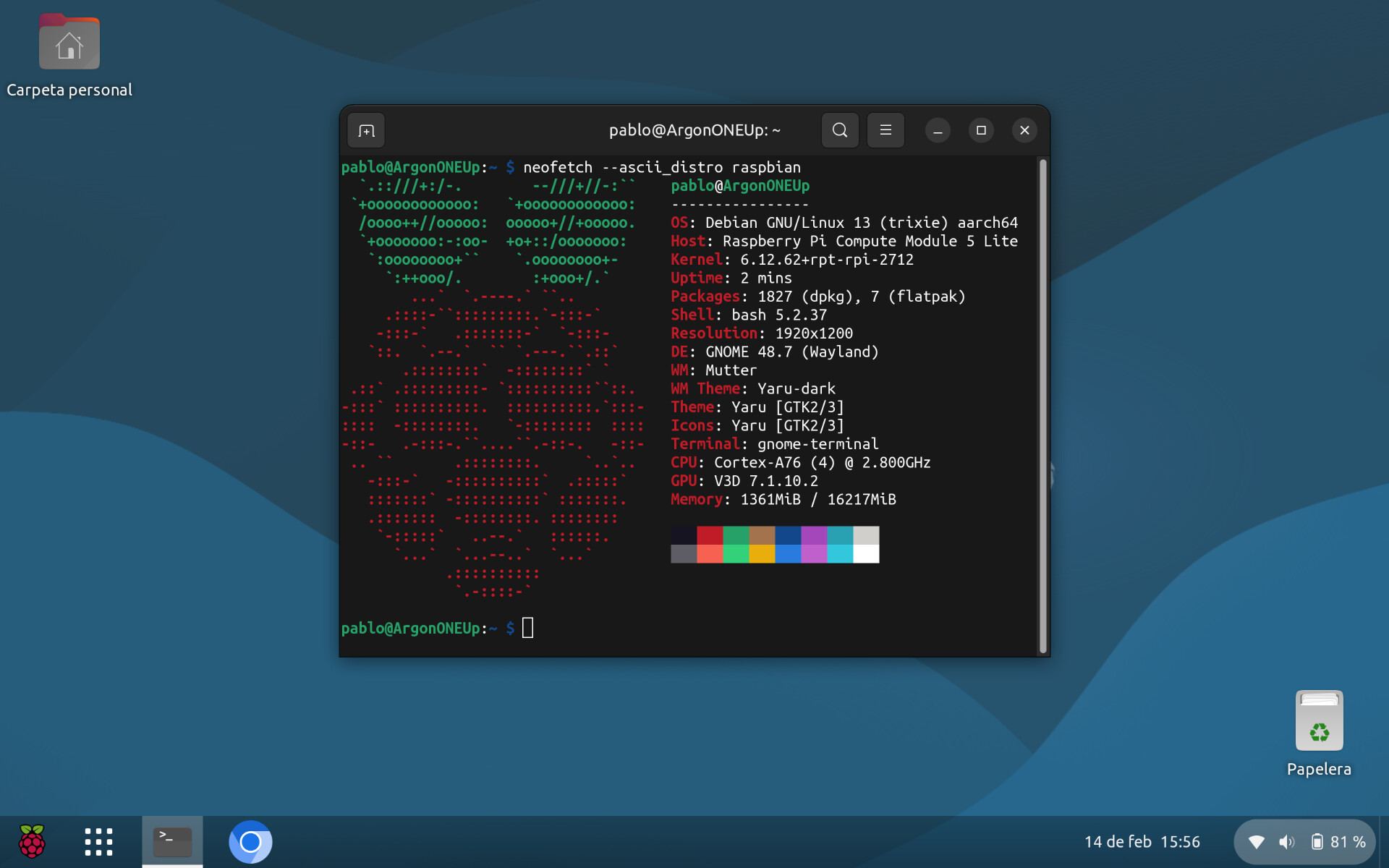
Once the OS and applications were properly installed and configured, the overall user experience has been excellent. The system feels stable, responsive, and very polished for daily usage.
Hardware list
-
1× Argon ONE UP Laptop Shell
-
1× CM5116000 – Raspberry Pi Compute Module 5 – WiFi – 16GB RAM – 0GB Storage (Lite)
-
1× Crucial P310 2TB PCIe Gen4 NVMe 2280 M.2 SSD
Burn Raspberry Pi OS Lite (64-bit) on NVMe SSD
- Burn Raspberry Pi OS Lite 64-bit using Raspberry Pi Imager (v2.0 or newer)
Use the customization menu to enable SSH, create a user, and configure Wi-Fi settings, among other options.
Once the image is written, insert CM5 and NVMe SSD into the Argon ONE UP and proceed with the first boot.
1. Initial boot, system update & SSH access
Enable SSH in case it is not currently active
sudo apt update
sudo apt full-upgrade
sudo raspi-config
Interface Options > SSH > Yes
Once enabled connect remotely using:
ssh your_user_name@your_server_IP
2. Customizing boot configuration
config.txt
sudo nano /boot/firmware/config.txt
Add parameters:
dtparam=uart0=on
dtoverlay=dwc2,dr_mode=host
dtparam=nvme
dtparam=pciex1_gen=3
usb_max_current_enable=1
dtparam=ant2
cmdline.txt
sudo nano /boot/firmware/cmdline.txt
Add display configuration:
video=HDMI-A-2:1920x1200@60e
Reboot:
sudo reboot
3. Argon ONE UP official script installation
curl https://download.argon40.com/argononeup.sh | bash
sudo reboot
For now, this script is useless to me. I prefer to use the battery driver by Jeff Curless (see below).
4. GNOME Desktop installation
4.1 System configuration
sudo dpkg-reconfigure locales && sudo reboot
sudo dpkg-reconfigure keyboard-configuration
sudo dpkg-reconfigure tzdata
sudo apt update && sudo apt full-upgrade -y
sudo apt autoremove -y
sudo reboot
4.2 GNOME Desktop
sudo apt install gnome-core
4.3 Applications
sudo apt install \
gnome-tweaks gnome-shell-extensions hplip plymouth-themes \
rpi-chromium-mods chromium chromium-common chromium-driver chromium-l10n \
dconf-editor pix-plym-splash fonts-ubuntu ttf-mscorefonts-installer \
nautilus-admin libwidevinecdm0 psensor
Remove Firefox ESR:
sudo apt remove firefox-esr
sudo apt autoremove
Enable graphical boot:
sudo systemctl set-default graphical.target
sudo reboot
4.4 Flatpak & Pi.Apps
Flatpak
sudo apt install flatpak
flatpak remote-add --if-not-exists flathub https://dl.flathub.org/repo/flathub.flatpakrepo
sudo reboot
Pi.Apps
wget -qO- https://raw.githubusercontent.com/Botspot/pi-apps/master/install | bash
4.5 LibreOffice & Spanish language packs
sudo apt install libreoffice-{writer,calc,impress,gtk3,gnome,style-colibre}
sudo apt install hyphen-es hunspell-es libreoffice-help-es libreoffice-l10n-es
5. Customization
Plymouth splash
sudo nano /boot/firmware/cmdline.txt
Add:
quiet splash plymouth.ignore-serial-consoles
Select theme:
plymouth-set-default-theme --list
sudo plymouth-set-default-theme pix
sudo update-initramfs -u
sudo reboot
GDM3 customization
flatpak install io.github.realmazharhussain.GdmSettings
GNOME Extensions
Installed from https://extensions.gnome.org/
-
Dash to Panel
-
ArcMenu
-
Desktop Icons NG
If gnomedesktop-3.0.gir is missing:
sudo apt install gir1.2-gnomedesktop-3.0
YARU Theme by Wobbo ( LibreOffice Yaru Theme for Raspberry Pi OS Trixie (Debian 13) - Raspberry Pi Forums )
Download:
wget -c \
https://wobbo.org/download/yaru-theme-gnome-shell_25.04.1-0ubuntu1_all.deb \
https://wobbo.org/download/yaru-theme-gtk_25.04.1-0ubuntu1_all.deb \
https://wobbo.org/download/yaru-theme-icon_25.04.1-0ubuntu1_all.deb \
https://wobbo.org/download/yaru-theme-sound_25.04.1-0ubuntu1_all.deb \
https://wobbo.org/download/yaru-theme-unity_25.04.1-0ubuntu1_all.deb
Install:
sudo apt install ./yaru-theme-*.deb
Then choose Yaru theme using GNOME Tweaks Tool
Battery Driver by Jeff Curless ( GitHub - JeffCurless/argon-oneup: Supporting the One UP from Argon40 )
sudo apt install -y build-essential linux-headers-rpi-v8 dkms
cd battery
./build
./install
Final thoughts
After completing this setup, the Argon ONE UP feels like a compact, efficient, and well-designed laptop system. Thermal management is effective, performance is sufficient for most tasks, and overall usage is smooth.
I hope this guide is helpful for other community members. Thanks to everyone who shares knowledge and tools here—it definitely made the setup easier.
Best regards,
Pablo
PD: Posted from my Argon ONE UP laptop
