Darmur
February 12, 2026, 6:35pm
1
I finally got my Argon One Up, and i’m finalizing the initial setup, so far so good.
I don’t want to run the argon setup script, I prefer to set things manually.
I am running RaspiOS Trixie, with up-to-date packages
I have the battery status icon with a proper driver, I got it from this repo, it works very well
Supporting the One UP from Argon40
I also added the script for automatic shutdown if the lid is closed for more than 3 minutes, from this repo, it also works like a charm
argononeup.md
NOTE: I use [ArchLinux ARM][] with [sway][] wayland window manager and [pipewire][] for audio.

All of the functionality here works with **NO** need to run `argononeup.sh` script.

# First time setup

As a one time setup, update pi bootloader EEPROM configuration:

    sudo pacman -S rpi5-eeprom
sudo rpi-eeprom-config -eshow original
What I have still missing are the display brightness keys (the volume/mute keys are already working)
I can increase/decrease the brightness with those commands, but I did not find a way to do so when pressing the FN + F2/F3
ddcutil --skip-ddc-checks --disable-dynamic-sleep --sleep-multiplier 0.1 setvcp 10 + 5
ddcutil --skip-ddc-checks --disable-dynamic-sleep --sleep-multiplier 0.1 setvcp 10 - 5
the tool “bindsym” used in the previous link does not exist on RaspiOS Trixie
any hint?
I just finished my battery tray icon and now I am working on the brightness–well, someone was faster than me on the battery icon. On the bright side I am working on the one up tray which will try to have everything there, including the brightness control and remembering your settings from the previous boot.
I will be following this thread as I also want as much info as possible about the Argon One Up.
2 Likes
q0w
May 19, 2026, 1:17pm
3
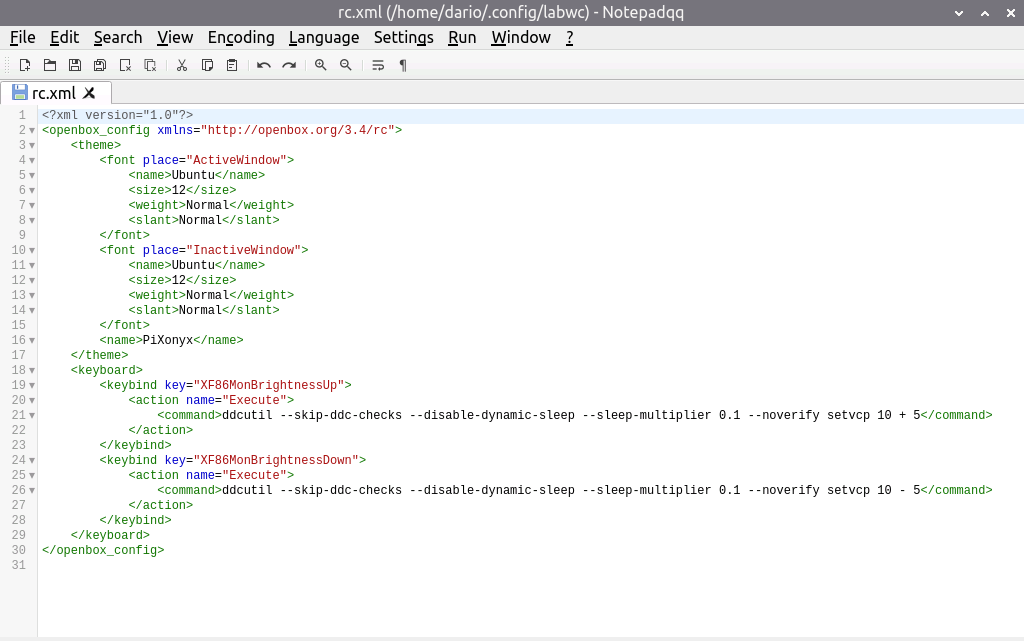
Simply add the keybinds to your labwc-configuration.
<keybind key="XF86MonBrightnessUp">
    <action name="Execute">
        <command>ddcutil --skip-ddc-checks --disable-dynamic-sleep --sleep-multiplier 0.1 --noverify setvcp 10 + 5</command>
    </action>
</keybind>
<keybind key="XF86MonBrightnessDown">
    <action name="Execute">
        <command>ddcutil --skip-ddc-checks --disable-dynamic-sleep --sleep-multiplier 0.1 --noverify setvcp 10 - 5</command>
    </action>
</keybind>
@q0w thanks for the hint, could you please clarify in what file exactly the keybinds must be added, when using RaspiOS trixie?
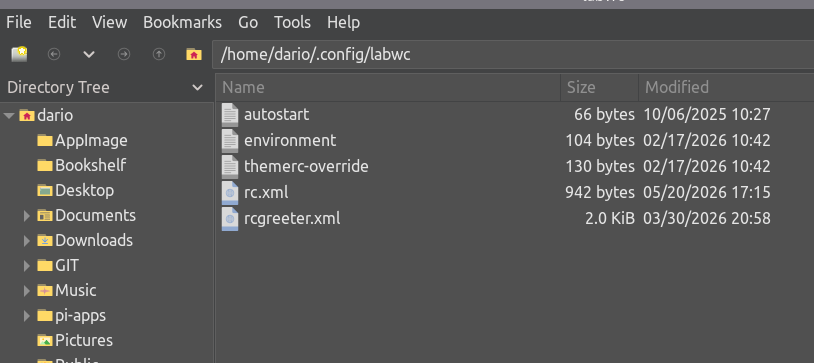
I did some search and it looks file the labwc configuration files on RaspiOS are in this folder
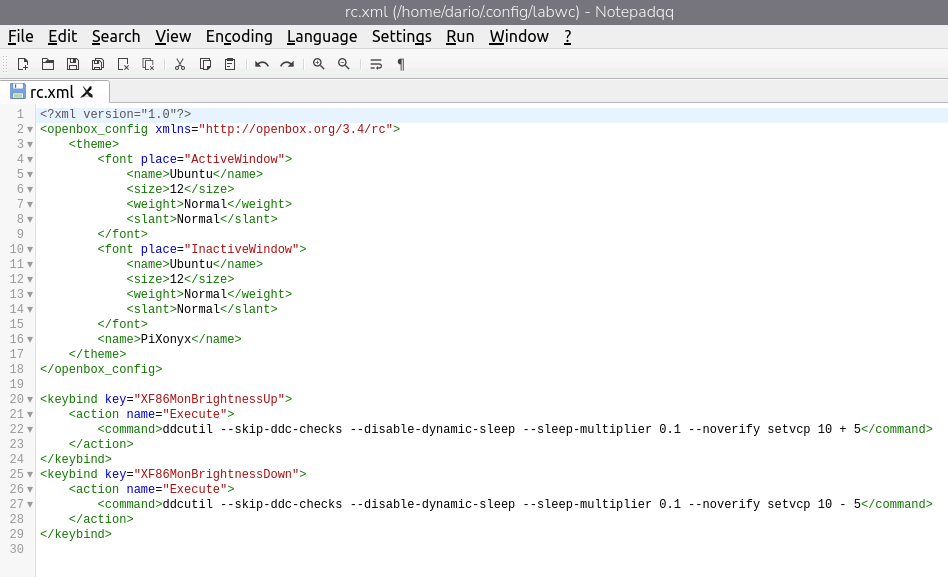
I tried to add the content of your message to rc.xml, but the brightness cannot be adjusted with FN+F2/F3, even after a reboot
never mind, I’ve found the right way to add the keybinds
I had to run the command “labwc --reconfigure” to have the changes applied