Has anyone wrote any screens or useful things to do with the POD Display ?
none that i could find. I wonder if anyone at Argon40 cares to reply or update the half-baked installation script.
1 Like
I’ve had 2 of these POD’s and they do not work, and Argon does not care. It’s like WW3 has already started and this company has an active role which is flooding the US market with trash. Do not buy. This company probably sends the stuff that works to Russia for dual-use. Bad company. Bad products.
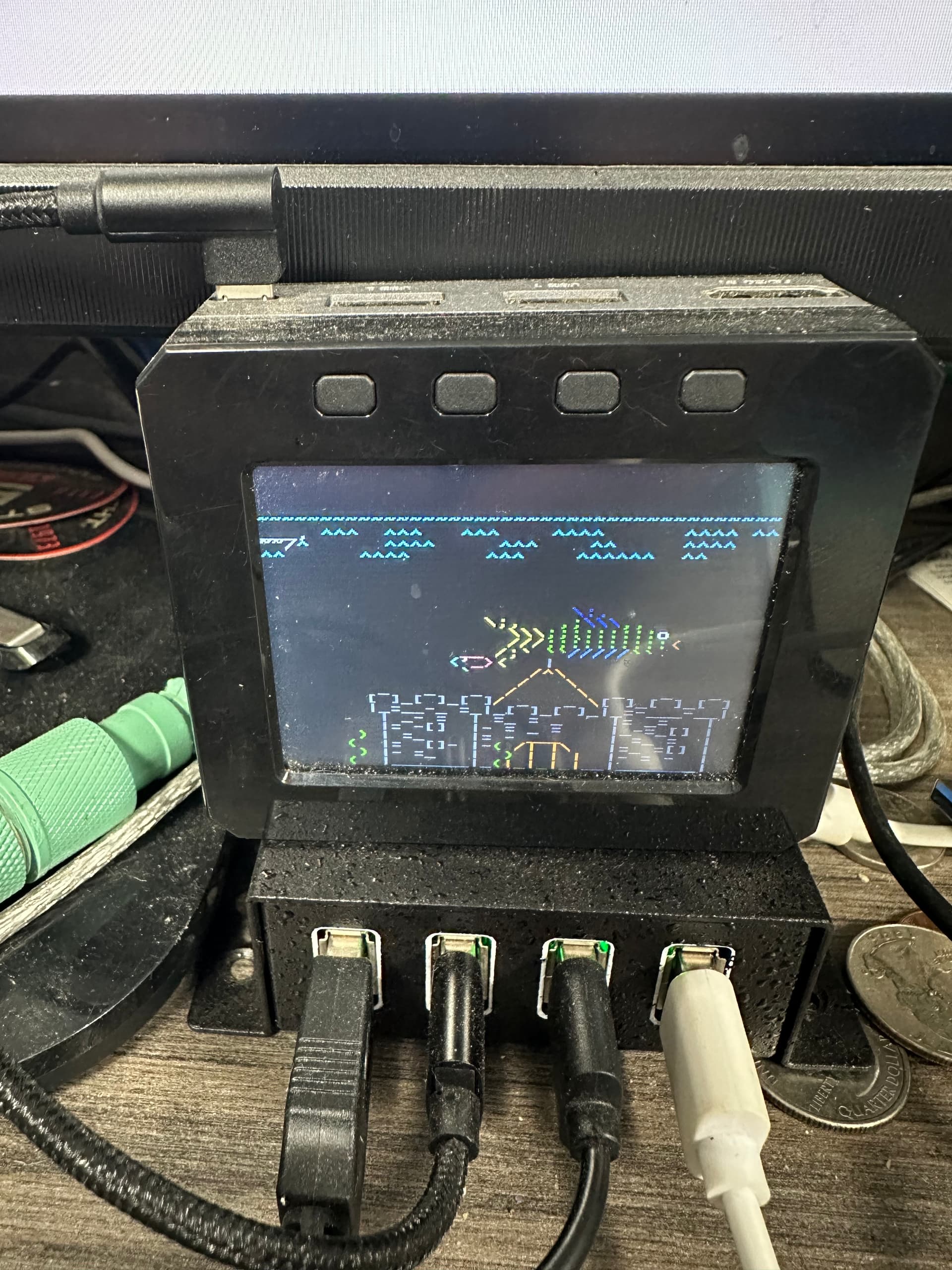
Looks like fun! How did you manage to load the drivers?
Regards
M.
Bought it a month ago and experienced peak anticippointment when it didn’t work out of the box.
Today, the dashboard is alive!!
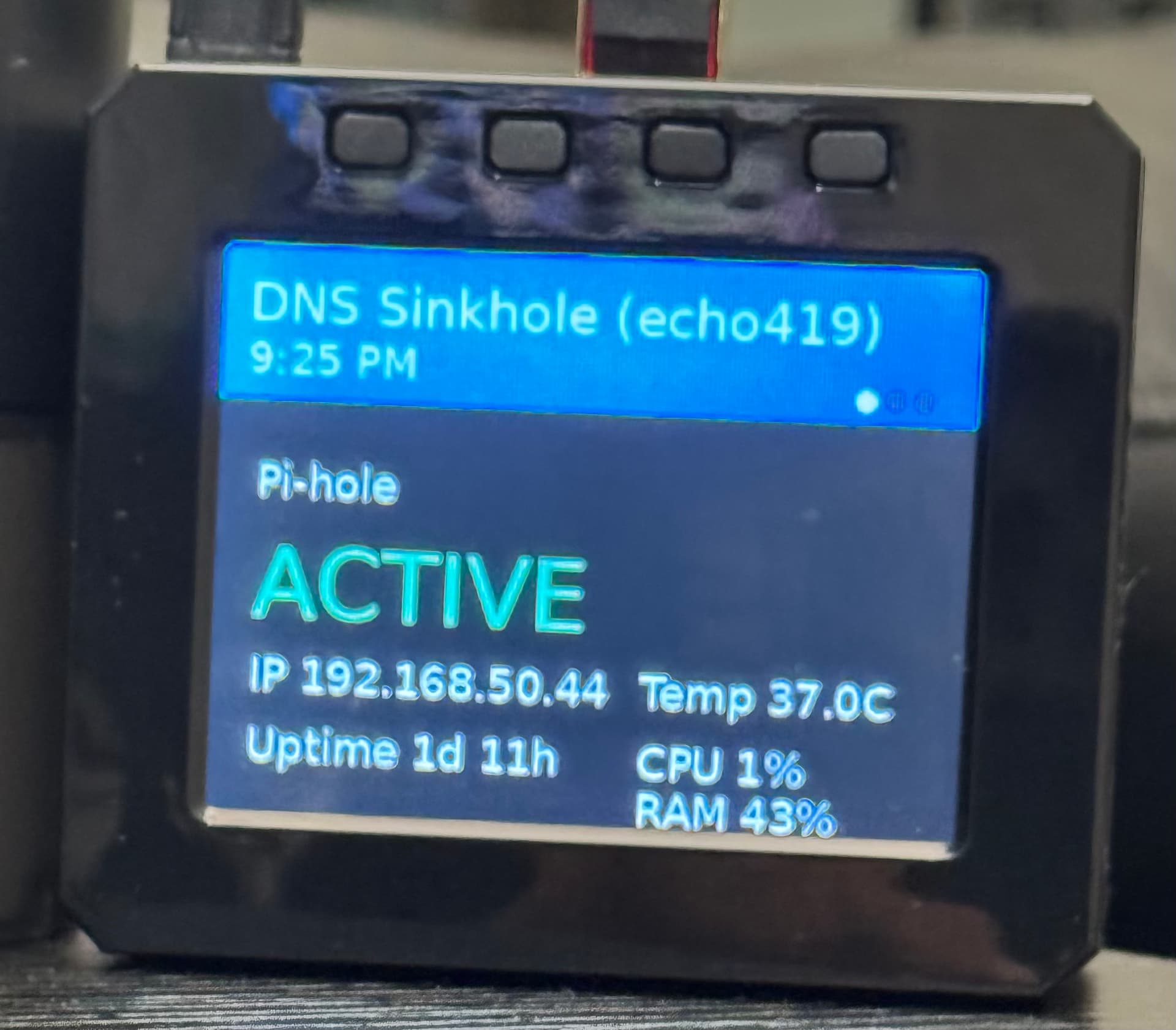
pardon the iPhone post processing…
I have an ArgonPod with the display module hooked up with a Raspberry Pi Zero 2 W. The Zero 2 W is running the latest Raspberry Pi OS Lite 64-bit. based on Debian Trixie.
I installed cmake and argonpod-config but the install isn’t working. How do I get this working?
$ argonpod-config
----------------------------
ArgonPod Configuration Tool
Version 2206002
----------------------------

Choose Option:
  1. Rotate Screen
  2. Configure Buttons
  3. Install Framebuffer Copy (FBCP) Driver
  4. Set Resolution (Requires FBCP)
  5. Uninstall

  0. Exit
Enter Number (0-5):3
WARNING: This will require cmake
         to build binaries.
Press Y to continue:Y
Thank you.
Hit:1 http://deb.debian.org/debian trixie-backports InRelease
Hit:2 http://deb.debian.org/debian trixie InRelease
Hit:3 http://deb.debian.org/debian trixie-updates InRelease
Hit:4 http://deb.debian.org/debian-security trixie-security InRelease
Hit:5 http://archive.raspberrypi.com/debian trixie InRelease
Reading package lists... Done
Reading package lists... Done
Building dependency tree... Done
Reading state information... Done
cmake is already the newest version (3.31.6-2).
0 upgraded, 0 newly installed, 0 to remove and 0 not upgraded.
CMake Warning (dev) in CMakeLists.txt:
  No project() command is present.  The top-level CMakeLists.txt file must
  contain a literal, direct call to the project() command.  Add a line of
  code such as

    project(ProjectName)

  near the top of the file, but after cmake_minimum_required().

  CMake is pretending there is a "project(Project)" command on the first
  line.
This warning is for project developers.  Use -Wno-dev to suppress it.

CMake Warning (dev) in CMakeLists.txt:
  cmake_minimum_required() should be called prior to this top-level project()
  call.  Please see the cmake-commands(7) manual for usage documentation of
  both commands.
This warning is for project developers.  Use -Wno-dev to suppress it.

-- The C compiler identification is GNU 14.2.0
-- The CXX compiler identification is GNU 14.2.0
-- Detecting C compiler ABI info
-- Detecting C compiler ABI info - done
-- Check for working C compiler: /usr/bin/cc - skipped
-- Detecting C compile features
-- Detecting C compile features - done
-- Detecting CXX compiler ABI info
-- Detecting CXX compiler ABI info - done
-- Check for working CXX compiler: /usr/bin/c++ - skipped
-- Detecting CXX compile features
-- Detecting CXX compile features - done
CMake Deprecation Warning at CMakeLists.txt:1 (cmake_minimum_required):
  Compatibility with CMake < 3.10 will be removed from a future version of
  CMake.

  Update the VERSION argument <min> value.  Or, use the <min>...<max> syntax
  to tell CMake that the project requires at least <min> but has been updated
  to work with policies introduced by <max> or earlier.


-- Configuring done (5.5s)
-- Generating done (0.0s)
-- Build files have been written to: /etc/argonpod/rpi-fbcp/build
[ 50%] Building C object CMakeFiles/fbcp.dir/main.c.o
/etc/argonpod/rpi-fbcp/main.c:9:10: fatal error: bcm_host.h: No such file or directory
    9 | #include <bcm_host.h>
      |          ^~~~~~~~~~~~
compilation terminated.
make[2]: *** [CMakeFiles/fbcp.dir/build.make:79: CMakeFiles/fbcp.dir/main.c.o] Error 1
make[1]: *** [CMakeFiles/Makefile2:87: CMakeFiles/fbcp.dir/all] Error 2
make: *** [Makefile:91: all] Error 2
install: cannot stat 'fbcp': No such file or directory
ERROR: Unable to build fbcp
1 Like
What Raspberry Pi OS version are you running? Trixie, Bookworm, or Bullseye? Also, is it 32-bit or 64-bit?
I ran Pi OS Lite 64-bit (Trixie)
However, I did not use their software.
I had ChatGPT replace the vendor dashboard with a small Python-based, vendor-independent display application.