Greetings,
I have found myself wondering about the security of the data stored on the Nvme drive, so now I am considering / researching / planning to encrypt the drive and use boot time password protection to get a similar user experience to Bitlocker on Windows.
I actually don’t know whether I will succeed, but fingers crossed and whish me luck because this won’t be a clean install but “in-place” encryption 
Nice idea!
Here’s some resources that I look into sometimes:
Good luck
1 Like
I tried and failed. It just never wanted to ask for the passphrase. I used a normal Pi5 with the NVME being attached over USB, but given up after a couple hours of debugging. I’ll now try booting the ONEUP from USB and do the writing to the now blank NVME being attached to it normally.
I tried turning my original install into an encrypted one taking similar steps, but for Raspi OS.
I think the mistake was that I attached the NVME drive to my normal Rpi5 over USB Dock and I failed to properly set something given the /dev.sda vs /dev/nvme0n1 conversation.
So I ended up wiping the drive, and creating a USB stick with raspi so I could boot the ONEUP from USB and have the same drive name and everything staying in place, and just rsync the OS from the USB over to the NVME drive.
It kind of works, except that the screen is dark but lit! when I need to enter the passphrase during boot, and the indication that I can start typing is that the ventilation turns on really high level, but after typing the passphrase and hitting enter it continues booting 3 seconds later and it stops the airflow as well. I guess something is missing from thatrearly stage which would keep the vent turned off.
I guess the black screen and loud ventilator is more of a security feature, a deterrent if you whish, than anything else.
I’ll try to make the prompt for passphrase visible, and create a writeup.
I had success with following the instructions at sdm/Docs/Disk-Encryption.md at master · gitbls/sdm · GitHub for the standalone setup (i.e. not using sdm for anything else).
Sometimes during boot, the prompt doesn’t show up, but the output does stop and if I start typing the password at that point, the prompt will appear after the first character or two.
Yeah, I really don’t see anything at all when I need to type. I wonder if it is possible to append the display driver into that small ram image so I could see what’s happening.
I get the normal text lines from a verbose boot that just seems to stop… at that point, if I start typing the password, then the prompt will appear and asterisks for each character typed.
FWIW, I took quiet and splash out of /boot/firmware/cmdline.txt and added video=HDMI-A-2:1920x1200@60e.
I don’t think you need to rebuild the initramfs file when changing cmdline.txt, but just to be sure you could also do sudo update-initramfs -u before rebooting.
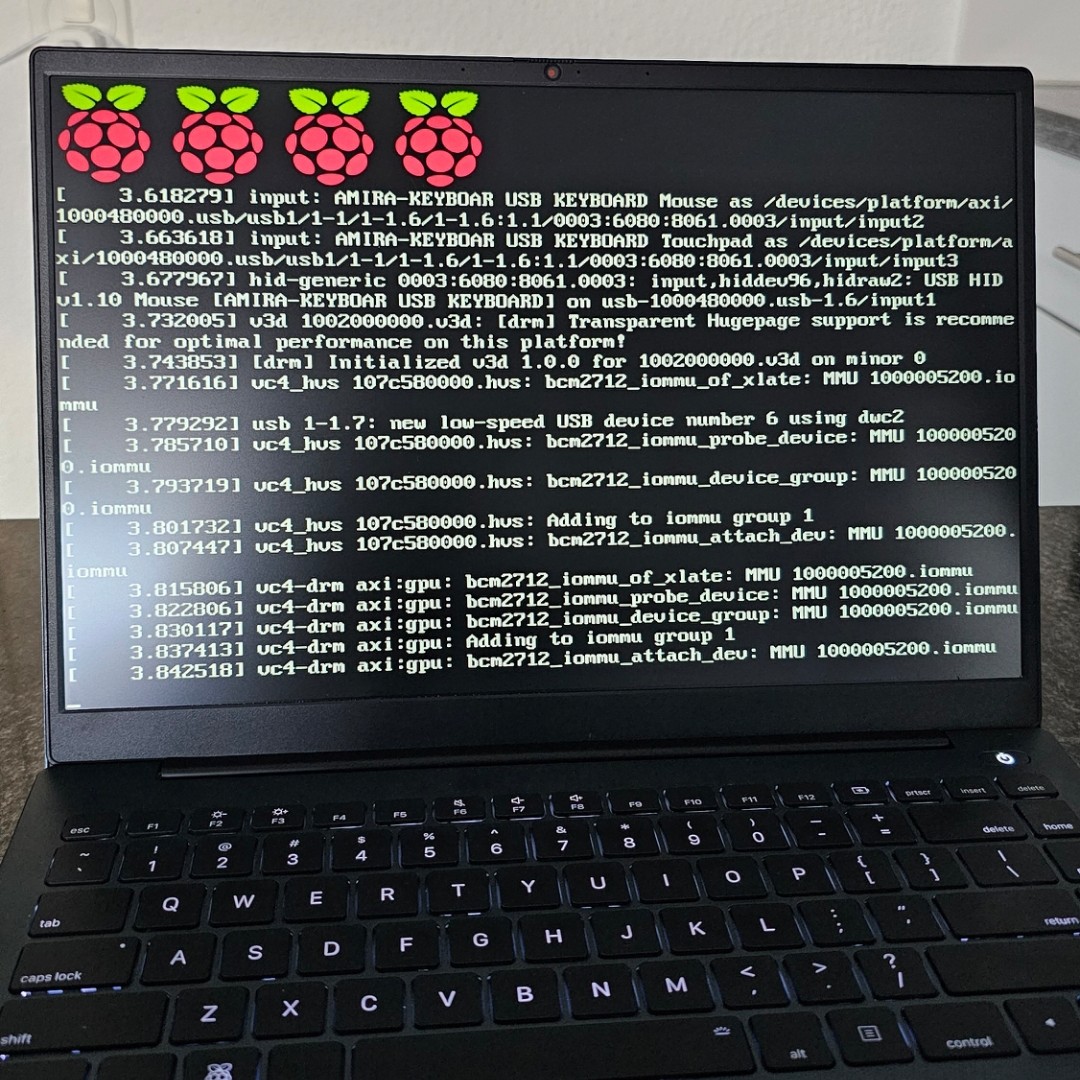
Thanks! So that fixed the part that I see some text. I still don’t see the prompt for the passphrase and before I enter it the resolution is off, but after I enter the passphrase (correctly  ) I see for a second or two the text rolling with proper resolution.
This is how it looks when I need to enter the passphrase: